Client Onboarding Made Easy: CRM Workflows for Ad Agencies

Client onboarding for ad agencies is no longer a time-consuming and messy process. It’s all thanks to CRM workflows that allow ad agencies to manage the entire process through a connected system instead of juggling emails, documents, spreadsheets, manual tasks and follow-up calls.
When any client signs a proposal with an ad agency, it needs a quick move. Like contracts need to be finalized, access to advertising accounts must be collected and many more processes. If any of them are missed can lead to unnecessary delays. With the help of CRM, ad agencies can turn the entire process into a structured journey.
In this guide, we will explain to you how ad agencies can use CRM workflow to simplify client onboarding, reduce operational chaos, improve communication and create a professional experience from the very first interaction.
Understand Client Onboarding for an Ad Agency
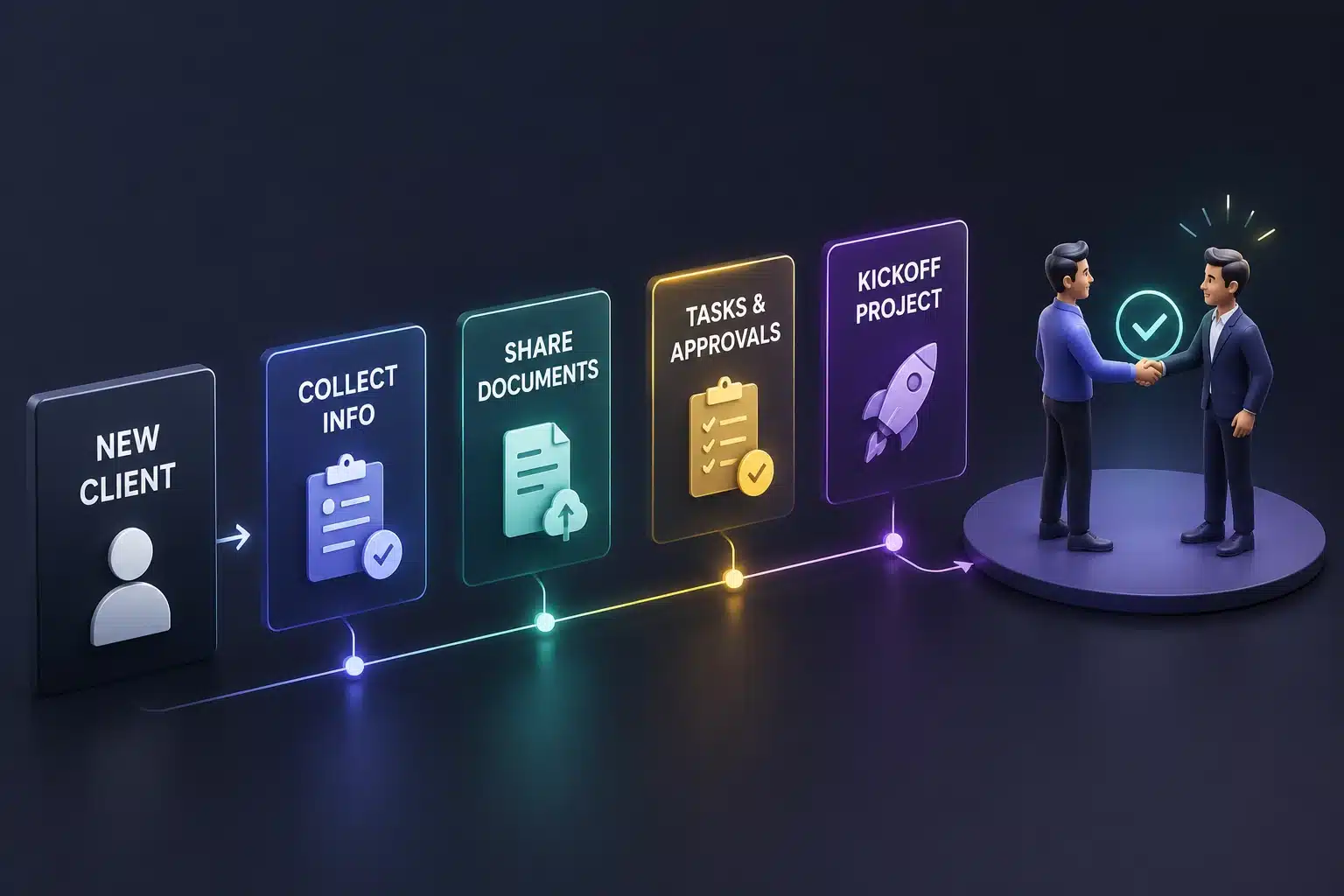
Client onboarding is basically a process of taking a newly signed client from the point of agreement to the stage where your agency has everything required to begin delivering services. Onboarding includes:
- Collecting client and business information
- Sharing onboarding forms
- Sending contracts and agreements
- Collecting brand guidelines and creative assets
- Requesting Google Ads, Meta Ads, LinkedIn Ads or other platform access
- Identifying competitors and market positioning
- Assigning internal account managers
- Scheduling kickoff meeting
How Old-School Client Onboarding Creates Problems?
Before CRM workflow became part of agency operations, client onboarding often depended on emails, spreadsheets, phone calls, WhatsApp messages and someone’s memory. That old-school client onboarding creates too many opportunities for delays, missed information and miscommunication. Let’s see how:
- Client Information Gets Scattered: Most important client details often end up across emails, spreadsheets, chat messages, documents & meeting notes. The time when account managers need specific information, they may have to search through multiple platforms.
- Follow-Ups Depend on Human Memory: The team needs to get Google Ads access, approve creative or complete an onboarding form. Earlier, someone has to remember when to follow up. One missed reminder can delay the entire campaign.
- Campaign Launches Get Delayed: Just a missing document or advertising account permission may seem like a small issue, but these small delays can push the campaign launch back by days.
- Team Responsibility Becomes Unclear: Who needs to request access? Who is checking the client’s website? Who is preparing the campaign brief? Every task becomes confused and delayed when responsibilities are not handled properly.
- Too Much Time Goes Into Repetitive Work: Account managers and other team members spend hours on repetitive tasks like sending reminders, updating spreadsheets, copying information, assigning tasks and checking whether clients have completed simple requirements.
How Do CRM Workflows Transform Ad Agency Client Onboarding?
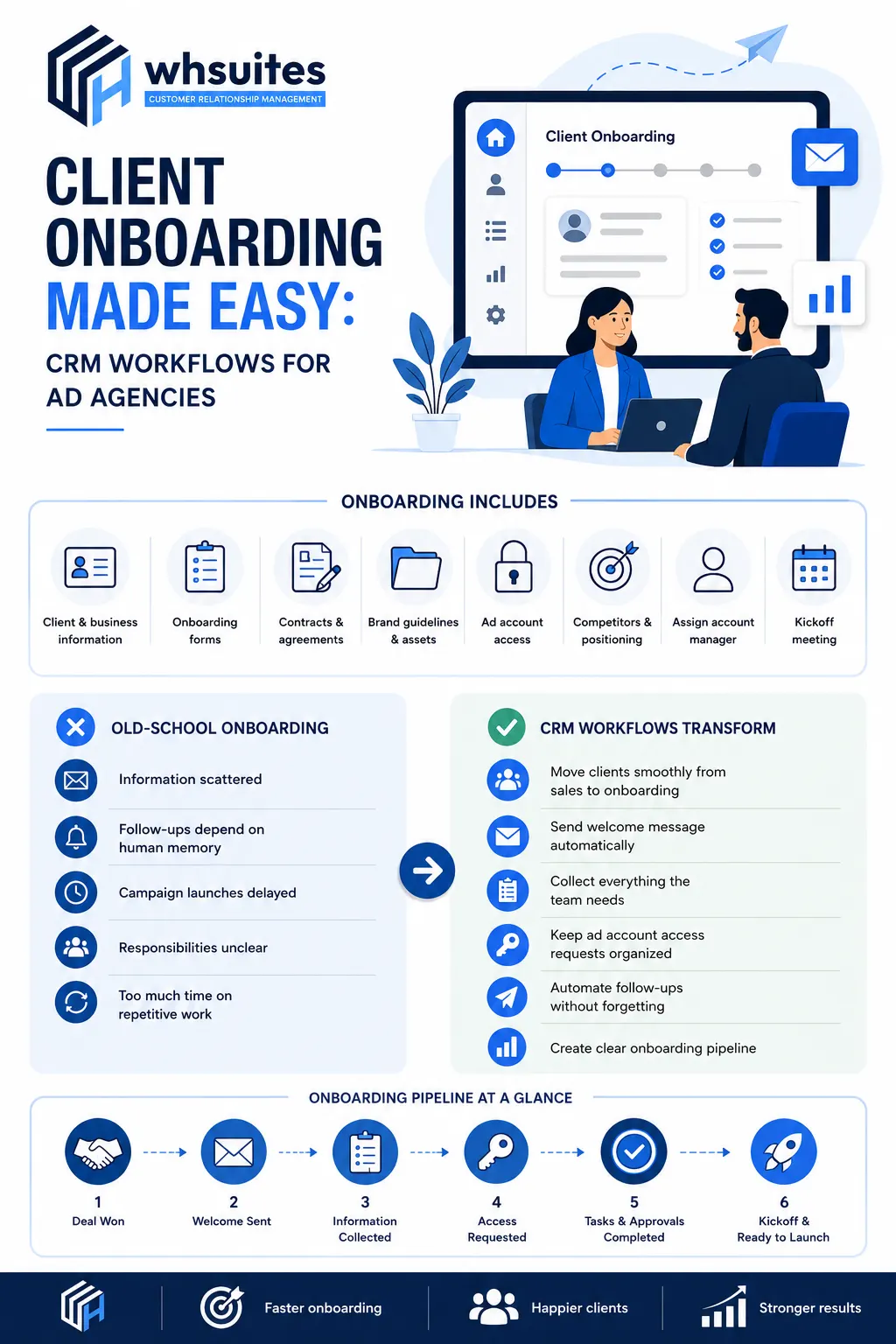
Honestly, a CRM workflow can completely change the way an ad agency handles client onboarding. No more spreadsheets, phone calls, or relying on memory and no need to remember every little thing that needs to be done. Let’s see how a CRM workflow transforms ad agency client onboarding:
Move Clients Smoothly From Sales to Onboarding
With a CRM workflow, marking a deal as won can automatically start the onboarding process. Yes, the CRM can create the client’s onboarding record, assign an account manager, notify the relevant team, and generate the initial onboarding tasks. That means from sales to onboarding, you can make every client project smooth.
Send a Welcome Message Automatically
A new client should not be left wondering what happens after signing the agreement. This is where CRM automatically sends a personalized welcome email as soon as onboarding begins. In this message, you can introduce the manager, explain the next step, share the onboarding form, provide access instructions and include a link to schedule the kickoff meeting.
Collect Everything the Team Needs
Before starting the campaign, the team requires multiple things, like an understanding of the business, goals, audience, target, competitors and many more things. CRM workflow allows you to send an onboarding form and store the already submitted information directly in the profile so that all information stays in one place.
Keep Advertising Access Requests Organized
Ad agencies require access to several platforms before they can begin campaign work. This is where most onboardings can become messy. With a CRM workflow, you can keep track of access requirements for platforms like Google Ads, analytics, tag manager and more. CRM gives a quick picture of what is still holding up the campaign.
Automate Follow-Ups Without Forgetting Them
Sometimes clients are busy, and they forget to send access, complete forms or approve something. Instead of relying on your account manager to remember every follow-up, a CRM workflow helps you handle it automatically. With this, the onboarding process moves without creating any collections or reminders.
Create Clear Onboarding Pipeline
With CRM, client onboarding doesn’t feel like a guessing game. You can easily create clear stages that show exactly where every client is in the process. Your team gets a simple visual overview of every account.
Reduce Campaign Launch Delays
Due to missing important pieces, a campaign can’t go live. With the help of a CRM workflow, you can easily identify the roadblocks before they become launch day problems. You can track every requirement and automatically remind the right person about pending tasks; agencies can resolve issues earlier and move clients from signed agreement to campaign launch with fewer unnecessary delays.
Which CRM is Best for Ad Agencies Client Onboarding?
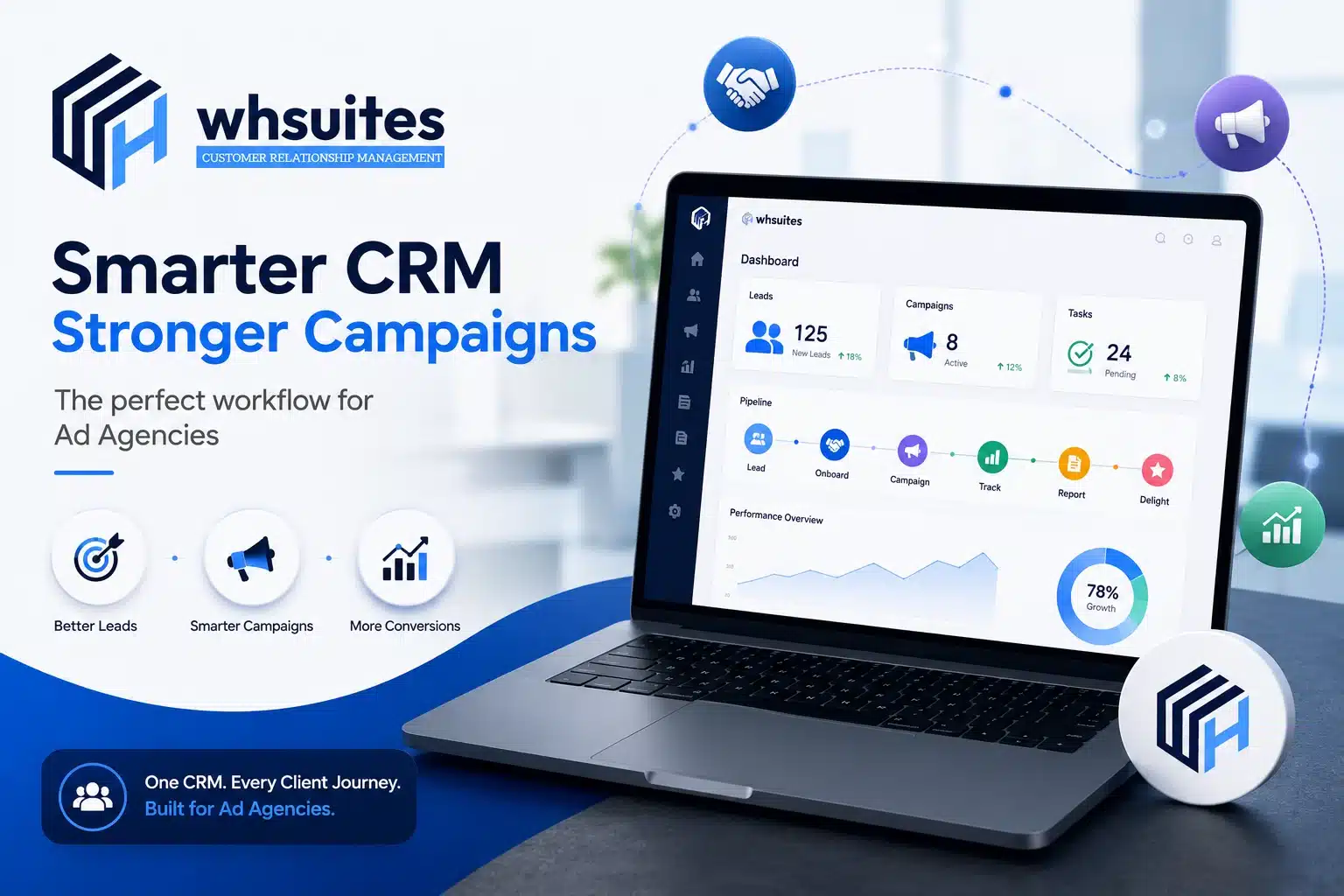
When it comes to ad agencies, a CRM should do more than store contact details; it should help your team move a client from deal closed to campaign launch without unnecessary manual work. And this is exactly what WHSuites CRM offers you. It helps ad agencies:
- Lead & client management
- Sales pipeline management
- Client onboarding workflows
- Automated follow-ups
- Task management
- Workflow automation
- Centralized client information
- Communication & notification
- Client status tracking
Frequently Asked Questions about CRM Workflows for Ad Agencies
Question. Can we also collect client information through CRM workflow?
Answer: Yes, with CRM, you can easily collect client information by using automated onboarding forms and centralized data fields.
Question. Is the CRM workflow automatically followed up with clients?
Answer: Yes, CRM workflows can automatically follow up with clients when any action is still pending. Like if a client hasn’t submitted an onboarding form or provided advertising account access, the CRM can send you a timely reminder.
Question. What kind of tasks can an ad agency automate with a CRM?
Answer: An ad agency can automate many repetitive tasks, including client welcome emails, onboarding forms, follow-up reminders, task assignment, meeting reminders, approval notifications, contract follow-ups, payment reminders, access requests, internal notification & client status updates.
Question. What CRM onboarding stages should an ad agency use?
Answer: A practical CRM onboarding workflow can also include stages like deal won, contact & payment, onboarding started, information pending, access pending, internal setup, kickoff scheduled and campaign live.
Question. How can we prevent CRM automation from feeling impersonal?
Answer: You can use CRM automation for reminders, notifications, data collection and task management while keeping all the important conversations, strategy discussions, kickoff meetings and problem-solving personal.
Question. What mistakes should we avoid when creating a CRM workflow?
Answer: Always avoid creating overly complicated workflows, automating every client interaction, sending too many reminders and failing to define when a client should move from one stage to another.
Question. Is CRM automation really useful for small advertising agencies?
Answer: Yes, CRM automation can be valuable for small agencies because it reduces the amount of repetitive administrative work handled manually.
Question. Is it possible to automate client welcome emails through CRM?
Answer: Yes, with CRM, you can easily send personalized welcome emails the time when the deal is marked as won or the onboarding process begins.